

This product is available on demand and can only be ordered through our sales team. Additional terms & conditions apply.
Delivery information
ProPlugin delivers your parcels through Thailand Post. All parcels are shipped through Thailand Post's EMS Service to ensure fast delivery options!
Delivery within Thailand
Bangkok metropolitan area
Delivery within 1 business day
Chiang Mai province Chiang Rai province Mae Hong Son province Wiang Haeng district Wiang Kaen district
Delivery within 2 business days
Remote areas Islands
Delivery within 3 business days
All other destinations within Thailand
Delivery within 1 business day
*Shipping times apply if ordered before 12.00 noon (add 1 business day if ordered after 12.00 noon)
Returns policy
Your satisfaction is important to us. If you've changed your mind about your order, you may request a return within 15 days of receiving your order! If you wish to initiate a return, please contact our customer support team.
Please note that the product must be unopened/sealed, and some exclusions apply, for example on software. Please carefully read our full returns & refund policy.
Warranty coverage
Warranty included (1 year)
Most of our products come with a standard 1-year warranty covering manufacturer defects and electronic malfunctions under normal usage.
If a product is under warranty, we provide free repairs at our repairs centre for music equipment in Bangkok. If the product broke within 15 days after your purchase, we'll provide you with a brand new product.
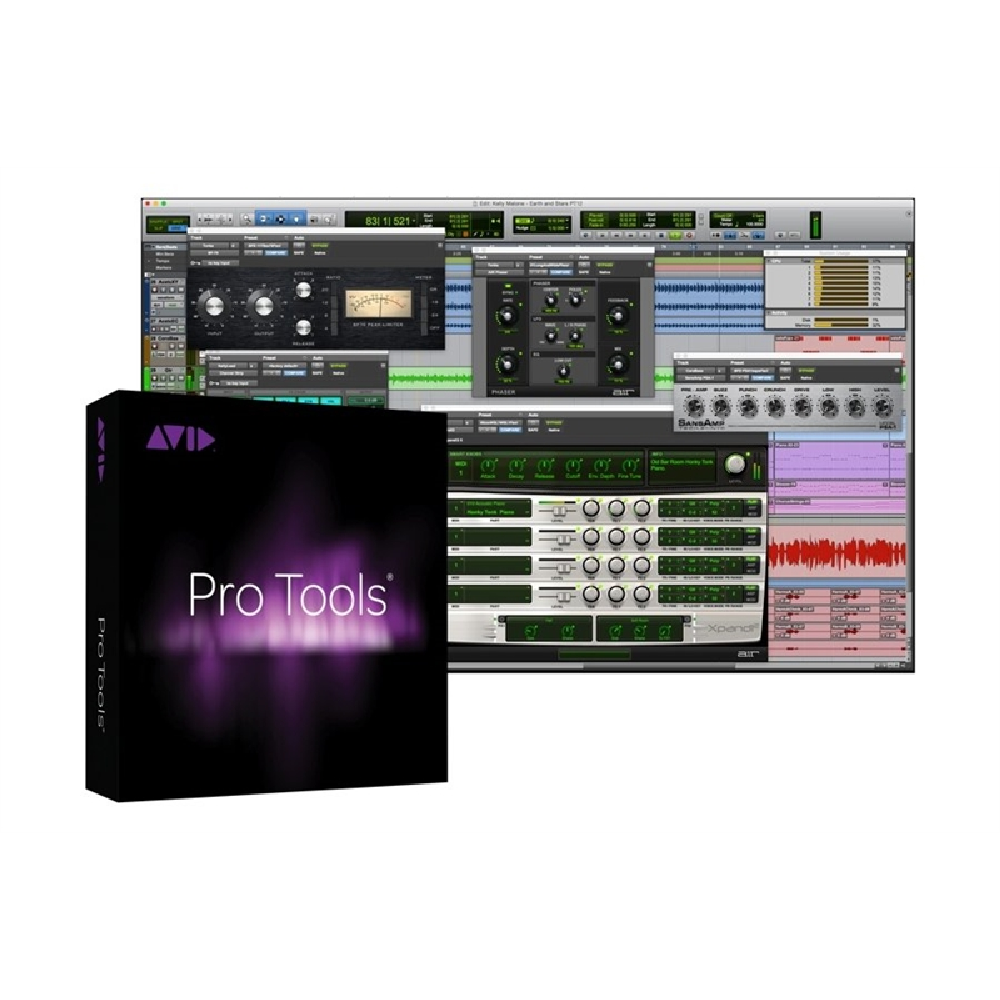
Avid Pro Tools 12 takes the already mature and fully featured audio creation software into the realm of the “cloud” with all of its promises.
Avid Pro Tools 12 Avid Pro Tools 12 takes the already mature and fully featured audio creation software into the realm of the “cloud” with all of its promises. This perpetual license comes with a twelve month upgrade plan (renewable) that ensures access to the latest enhancements, along with future software updates and upgrades (as long as the plan is active).
The Industry-standard for Audio Production Creating music with Avid Pro Tools is designed for beginners and seasoned pros alike. Its optimized audio engine is the epitome of efficiency. Its interface is as easy to use as a tape deck. And its editing is legendary. This industry-standard DAW software is loaded with innovations. Its updated MIDI features include new keyboard shortcuts, improved tools, enhanced views, and more. Track Commit and Track Freeze free up system resources during intense sessions. Improved waveform visualization powers you through big projects while layered Editing safeguards overlapped clips while you’re editing. Create quick crossfades with real-time fade manipulation. Connect with other musicians, producers, engineers, and mixers with Avid Cloud Collaboration. If you’re an audio professional, you need Avid Pro Tools.
Ultra-flexible recording, editing, and mixing environment Avid’s Pro Tools software is the go-to DAW for countless recording studios. Therefore, it’s no surprise that most major production houses are built around it. Navigating Pro Tools is easy, thanks to its streamlined two-window interface. Every tool you need is right at your fingertips. And most advanced functions are only a click away. Forget about spending days or even weeks getting to know the program. With Pro Tools software, you just dive in and establish the workflow that best meets your needs.
Loaded with powerful MIDI tools for in-the-box music creation Pro Tools is the industry’s premiere recording and editing tool, and thanks to recent advancements, it’s a MIDI powerhouse, too. As a result, the MIDI Input Display shows you notes and chords as you play them on a MIDI controller. While MIDI merge enhancements permit seamless merging of new and existing MIDI CC automation. Overall, MIDI editing is faster than ever, allowing you to use the left and right arrow keys to move to the next or previous MIDI note. Beyond that, new keyboard shortcuts, tools, and views make working with MIDI in Pro Tools effortless.
Free up your system with Track Commit and Track Freeze Pro Tools Track Commit prints your tracks, processing and all, to free up resources. So you can print from any insert point in its signal path. Say you have a vocal track with pitch correction and a channel strip. You can print a copy of the tuned vocal without including the other processing. This allows you to continue tweaking the channel strip as you mix. Or you can print all the processing, freeing up DSP resources.
Track Freeze frees up DSP by rendering your entire track on-the-fly. If your track doesn’t need further editing, this is a great way to maximize resources. It even works on auxiliary tracks and multi-output virtual instruments! Like Track Commit, you can freeze a track, up to and including, any insert point in its signal path. Activate Track Freeze from the Tracks menu, right-click menu, or snowflake icon. Unfreeze it the same way. A Freeze Status Icon shows if tracks are frozen, and can globally freeze and unfreeze tracks.
Reviews
Clear filtersThere are no reviews yet.