






Please note that virtual products are non-refundable
Orders from 3000 THB are eligible for payment in up to 10 installments.
Installments are currently only supported for customers that use a Thai-issued creditcard from select Thai banks.
You can select your preferred installment option during your payment.

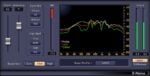
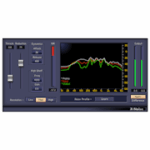
Waves X-Noise was developed to address the common but challenging issue of broadband noise in audio recordings, such as hiss, hum, and interference, without degrading the original performance. In scenarios where the audio take is too valuable to discard—like a compelling vocal performance marred by background fan noise or a great guitar solo compromised by amp sim hiss—X-Noise provides a precise and intuitive way to clean up the audio. Its spectral noiseprint technology enables users to isolate and subtract unwanted noise based on a brief sample of it, offering targeted noise removal while preserving the integrity and clarity of the source material. The goal was to give audio professionals and creators a powerful restoration tool that doesn't compromise on sound quality or workflow efficiency.
Key Highlights
With its simple, intuitive controls, X-Noise is perfect for removing tape hiss as well as air conditioner and computer noise from individual tracks, complete mixes, or damaged recordings.
There’s preamp hiss on a vocal, and room rumble is invading your ribbon mic. The guitar is picking up weird noises from your computer—and high-gain amp sims magnify the noise. No problem: X-Noise provides a “noiseprint”-based solution that can save you from having to re-record a track.
Isolate a section of the audio with the noise you want to remove, click Learn, and X-Noise subtracts the noise where it appears in the audio. Then, make a few tweaks to optimize the sound—done.
Video

Features
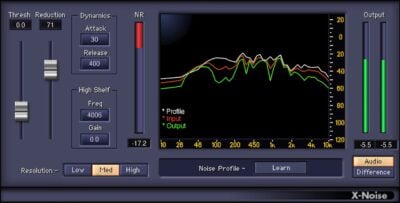
| Simplify tweaking with familiar, dynamics processor-like controls |
| Focus the reduction amount with Threshold and Reduction controls |
| Smooth the reduction processing with Attack and Release controls |
| Save two noise profiles for easy comparisons |
| “Difference” mode monitors only noise—try this for sound design |
| Works with individual tracks, or complete mixes |
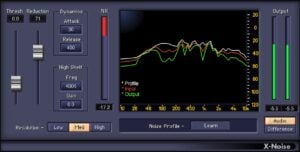
| Obtain visual feedback from frequency-based spectral display |
| Add a high-frequency boost or cut with a high-shelf filter |
| Optimize resolution for frequency or time-domain processing |
| When you can’t isolate the noise, choose from 13 factory presets |
System Requirements
mac
| CPU | Intel or Silicon Architecture |
|---|---|
| RAM | 8 GB |
| Disk | 0 GB |
| OS Version | macOS Catalina 10.15, Big Sur 11, Monterey 12, Ventura 13, Sonoma 14 |
windows
| CPU | X64 compatible Intel or AMD CPU |
|---|---|
| RAM | 8 GB |
| Disk | 0 GB |
| OS Version | Windows 10 64 bit Windows 11 |
 General specifications

| Digital Download | Yes |
|---|

 Chat via LINE →
  Chat via Messenger →
  Chat via WhatsApp →
Reviews
Clear filtersThere are no reviews yet.